
Appearance
'Sync now' is disabled
Understand why Sync now may be unavailable and what you should check before trying again.
If Sync now is disabled, it usually does not mean the account is broken.
Most of the time, the button is unavailable because the system is preventing unnecessary or overlapping sync requests.
Common reasons Sync now is disabled
1. The account is already syncing
If a sync is already running, TraderSign may block another sync request until the current one finishes.
Check the account status in Accounts or in the sync history panel.
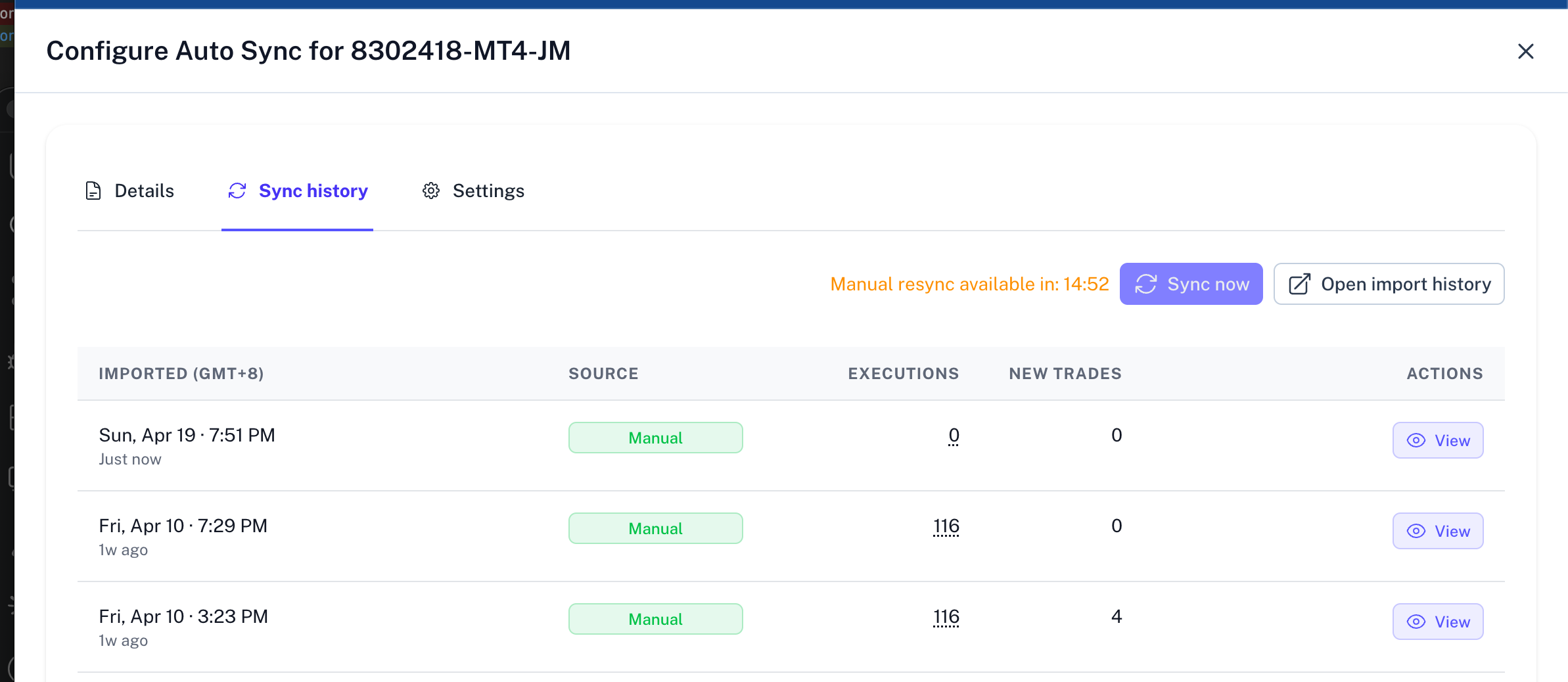
2. The account is on cooldown
Manual sync is limited to once every 15 minutes. If you have recently synced, you must wait for the cooldown timer to expire.
3. The platform is temporarily unavailable
In some cases, sync requests may be blocked if the connected platform is under maintenance or temporarily unavailable.
4. Your current account state does not allow the action
If your billing or access state changed, some actions may be restricted.
If that seems likely, review the billing-related help articles.
What to do next
If Sync now is disabled:
- check the current status of the account
- wait for the current sync to finish if one is already running
- check whether a cooldown timer is visible
- retry once the next available time is reached
- open Import History if repeated sync attempts fail
What not to do
Avoid repeatedly refreshing and clicking Sync now over and over in a short period. If the account is already syncing or on cooldown, repeated attempts will not speed things up.
If the issue continues
If the button stays disabled longer than expected and the account is not syncing:
- review the latest Import History entry
- confirm billing or access state if relevant
- contact support with the affected account name and latest sync status