
Appearance
Why did my file upload fail?
Upload hit a snag? Most failures are caused by validating data or missing columns. Here’s how to find the problem and get your trades imported.
If your upload didn't go through, it usually means our system found something in your file that needs attention. Here are the three most common things to check.
1. Broker or platform mismatch
Ensure you've selected the correct platform (e.g., MetaTrader 4) in the import menu before uploading. Each platform has its own expected data structure.
2. Missing required information
Every trade needs a Symbol, Open/Close Time, Quantity, and Price. Double-check that these columns aren't blank in your file.
3. Timezone settings
If trades show up on the wrong day, it’s likely a timezone mismatch. Match your broker's export timezone in the import settings before you upload.
Understanding validation errors
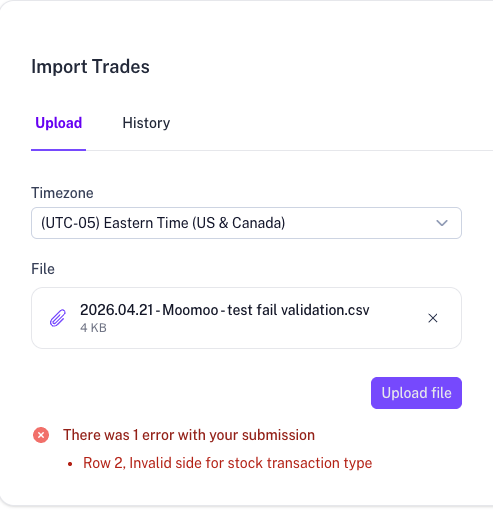
When you upload, TraderSign automatically validates your data. If something is missing or incorrect, you’ll see a specific error message (e.g., "Row 2: Invalid side") directly in the window so you can fix it and try again.
Quick Checklist
- File Type: Use CSV or Excel only.
- File Size: For very large files, try splitting them into smaller date ranges.
- Still stuck?: Send your file to our support team and we’ll help you troubleshoot.