
Appearance
Understanding plans and limits
Understand what each plan controls so you know which features and limits apply to your account.
TraderSign plans are designed to control access to different levels of usage and features.
Depending on your plan, you may have different limits or permissions for things like:
- number of trading accounts
- auto sync access
- file uploads
- manual trade entry
- notes or journal features
- replay or premium tools
Why this matters
If an action is blocked, limited, or shows a paywall, the reason is often tied to your current subscription plan.
Understanding your plan makes it easier to know:
- what is currently available
- what is limited
- when upgrading makes sense
- why some buttons or actions may not be available
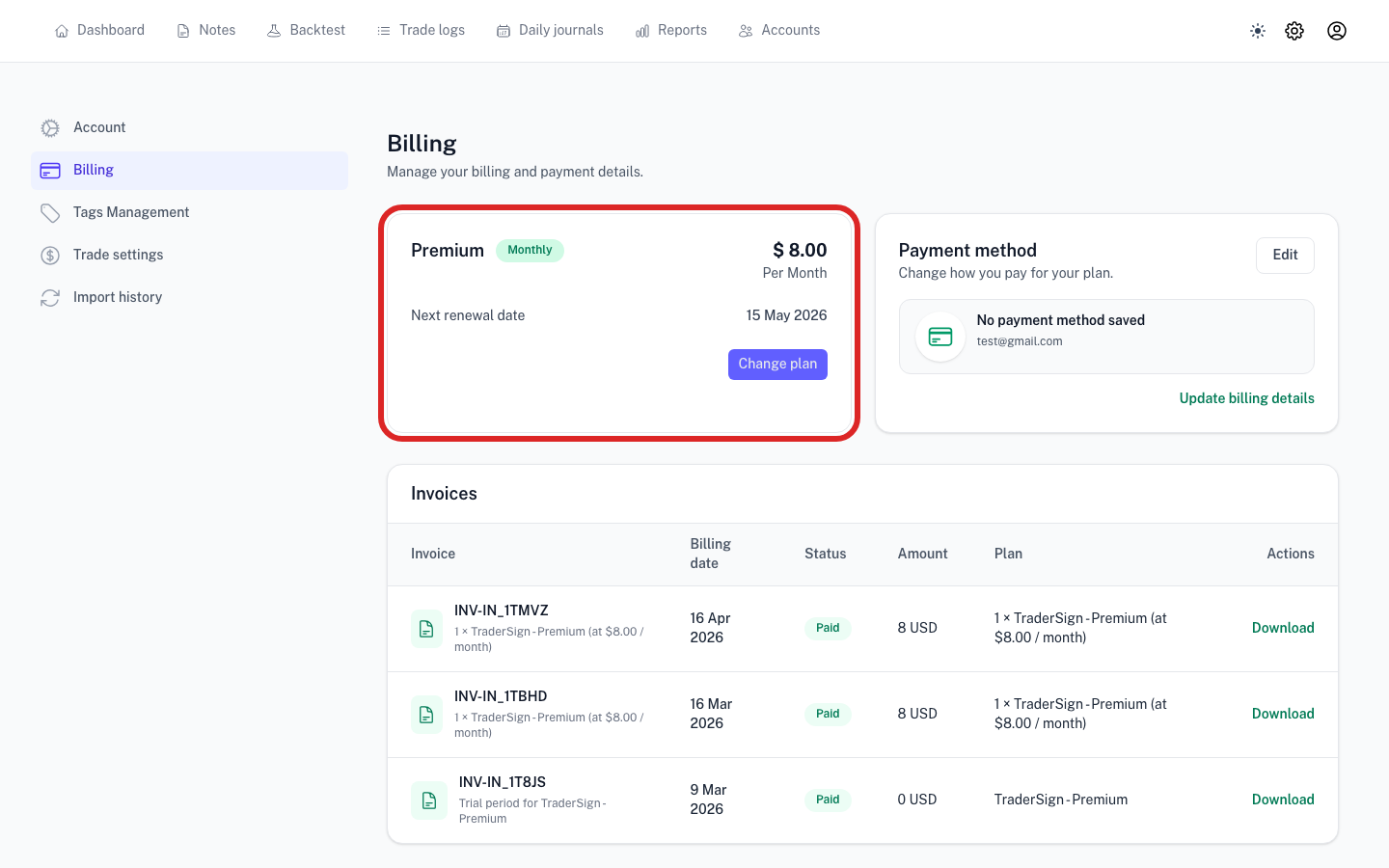
Where to check your plan
- Open Settings
- Go to Billing
- Review your current plan and any usage information shown there
Common categories of limits
The exact limits depend on how TraderSign is currently configured, but common examples include:
Trading account limits
Some plans may limit how many trading accounts you can create or actively use.
Import and sync access
Higher plans may include broader access to broker sync features, file imports, or more frequent usage.
Premium features
Advanced tools such as replay, deeper analysis, or expanded note functionality may be tied to higher plans.
Editing vs viewing access
In some cases, lower access states may still allow viewing data while preventing new actions such as creating accounts or importing trades.
Best way to use this page
When comparing plans, focus on the limits that affect your real workflow.
Examples:
- If you manage multiple broker accounts, account limits matter most
- If you import frequently, sync and import access matter most
- If journaling and review are central to your process, note-related features matter more
Related articles
For blocked actions or access restrictions, continue to:
- Why am I seeing a paywall?
- Read-only mode explained