
Appearance
Download invoices and billing history
Review your past charges, find invoices, and download billing records when you need them.
Your billing area includes access to invoice history and past billing activity.
This is useful if you want to:
- download an invoice for accounting or reimbursement
- confirm when a payment was charged
- review past billing records
- check whether a payment succeeded
Where to find invoices
- Open Settings
- Go to Billing
- Look for the invoices or billing history section
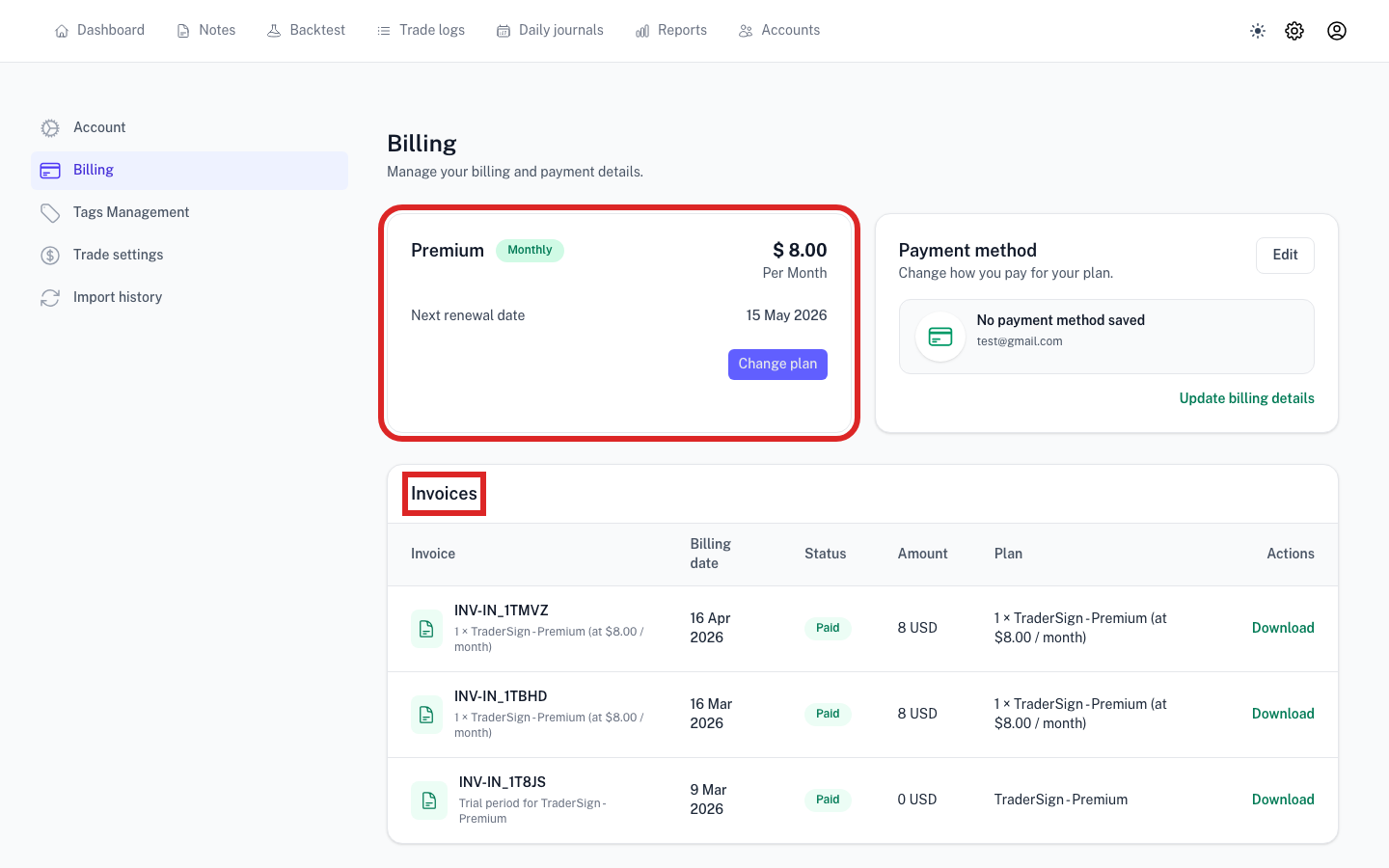
What you may see in billing history
Each billing entry may include details such as:
- invoice date
- amount charged
- billing period
- payment status
- invoice download link
- hosted invoice link or receipt link
When this article is useful
You may want to download an invoice if:
- you need proof of payment
- you are keeping accounting records
- you want to confirm which plan was billed
- you want to match a charge with a billing period
If you cannot find an invoice
Check the following:
- make sure you are in the correct account
- confirm there was a successful payment for the billing period
- review whether the payment is still pending or failed
If the billing page shows a hosted invoice or invoice link, that is usually the fastest way to open the full invoice details.
Best practice
If you use TraderSign for a business or formal accounting workflow, save invoices periodically instead of waiting until much later.