
Appearance
Import History
Review detailed logs for every trade sync or manual upload to troubleshoot issues.
The Import History page provides a comprehensive record of all data imports. Use this log to identify why specific trades might be missing, duplicated, or skipped.
Accessing Import History
- Navigate to Settings in the main menu.
- Select Import History.
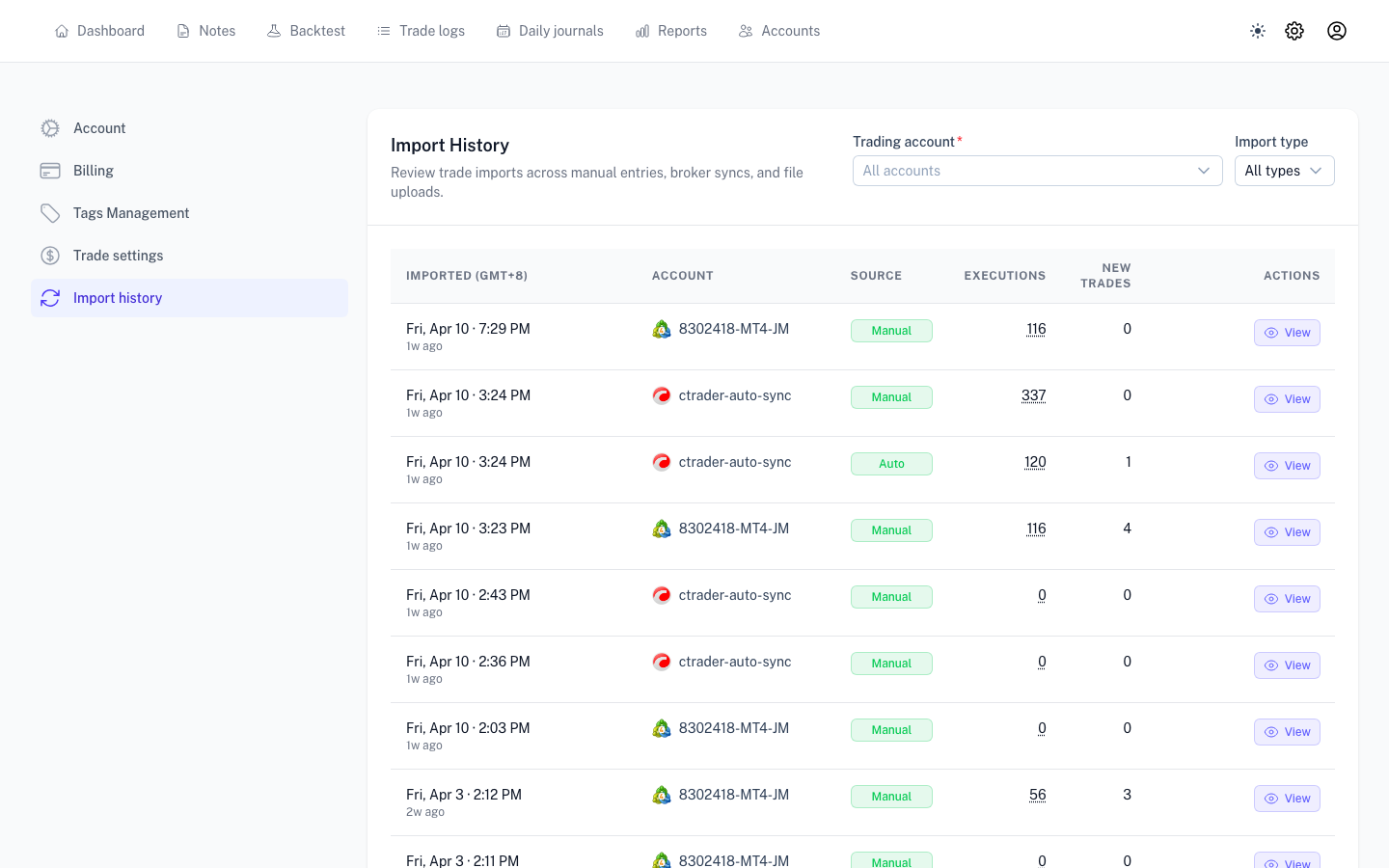
Understanding the Logs
Each entry provides a snapshot of the specific import run:
- Account: The target trading account.
- Status: The result of the run (Success, Partial, or Failed).
- Stats: Counts for trades added, updated, or skipped.
- Issues: Specific reasons for any errors or skips.
Troubleshooting an Import
If an import did not proceed as expected:
- Locate the entry in the list and click Details.
- Open the Issues tab to view specific errors, such as connection timeouts or formatting issues in a CSV file.
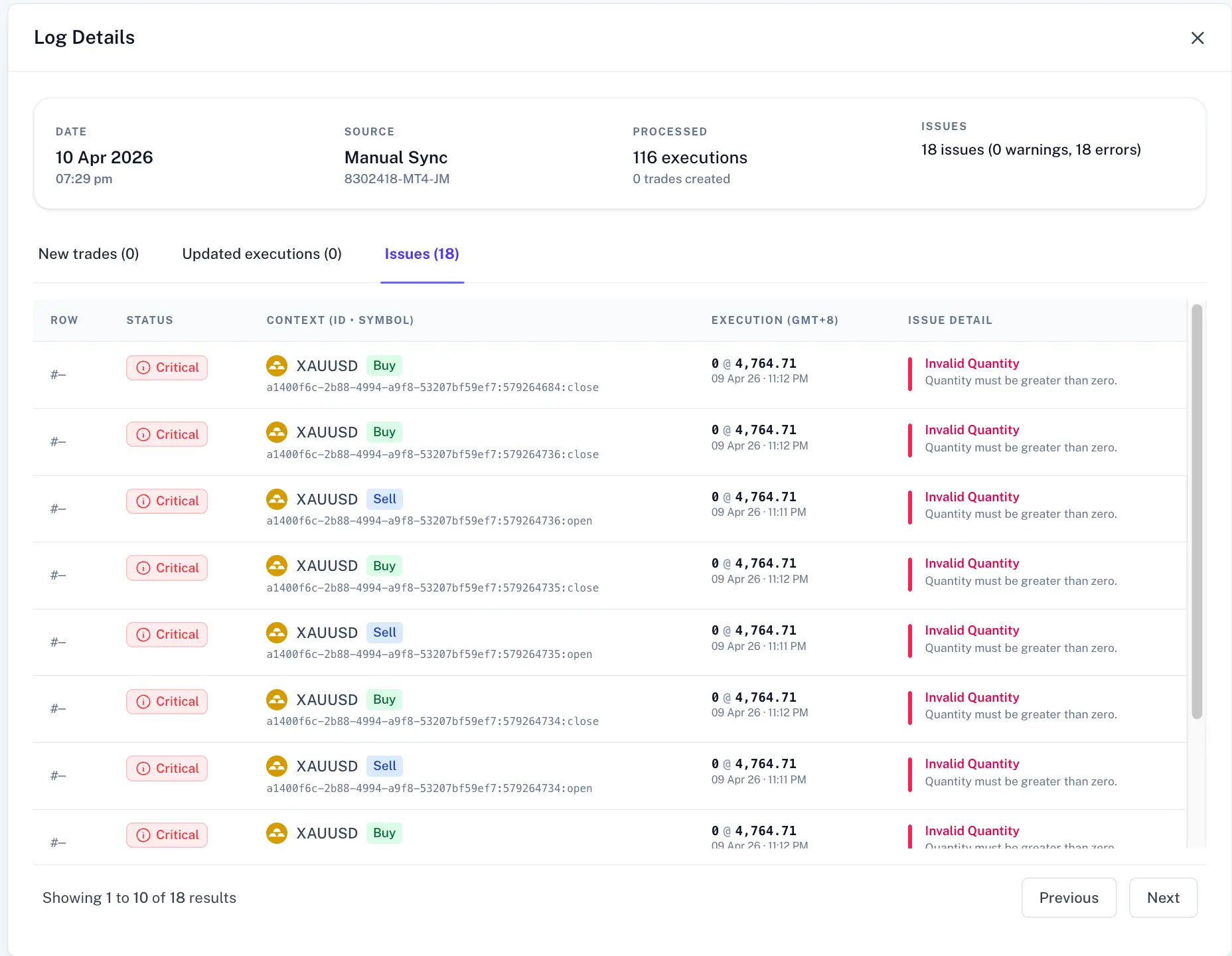
Technical Support
If you require assistance, please provide support with the Account Name, Timestamp, and the exact Error Message from the Issues tab.