
Appearance
Inactive Subscription
If your subscription is no longer active, your account enters a 'view-only' state. Here is how that works and how to reactivate.
If your subscription expires or your trial ends, your account will become Inactive. You'll notice a yellow banner at the top of your dashboard letting you know that journaling is paused.
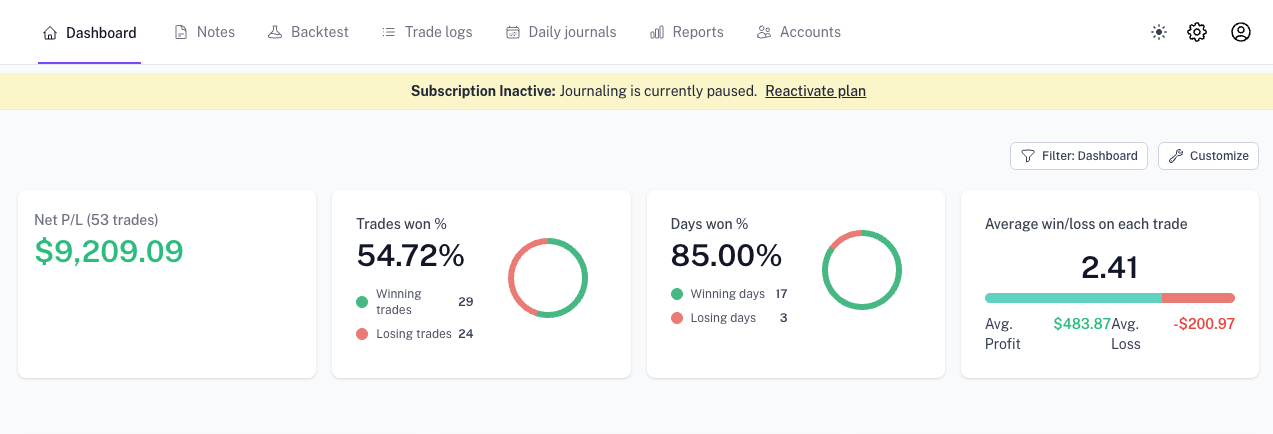
The most important thing: your data is safe. We never delete your trade history or journal entries even if you don't have an active subscription. Everything you've built is still there—you just can't add new data until you reactivate.
What is an Inactive account?
Think of it as a "viewing-only" state. You can still look at your data, but you can't add anything new.
| You Still Can | You Cannot |
|---|---|
| View all past trades and history | Sync or import new trades |
| Access your performance dashboard | Create new trading accounts |
| Read your existing journal entries | Add new notes or tags |
| Download past invoices | Use premium tools (Replay, etc.) |
Why is my account Inactive?
Usually, it’s one of three things:
- Your trial ended: You’ve reached the end of your free trial period.
- Plan expired: Your monthly or yearly subscription has finished.
- Payment issue: A renewal failed (often due to an expired or replaced card).
How to get back to full access
Restoring your account takes less than a minute:
- Head over to Settings → Billing.
- Pick a plan or update your payment method.
- Once the payment clears, your account will unlock automatically.
Still seeing the Inactive message?
If you've already paid or updated your billing, try these quick steps:
- Refresh your browser: A quick reload usually clears the notice.
- Check your email: Look for a "Payment Failed" or "Subscription Cancelled" email for more details.
- Ask for help: If things still don't look right, get in touch with us and we'll fix it for you.