
Appearance
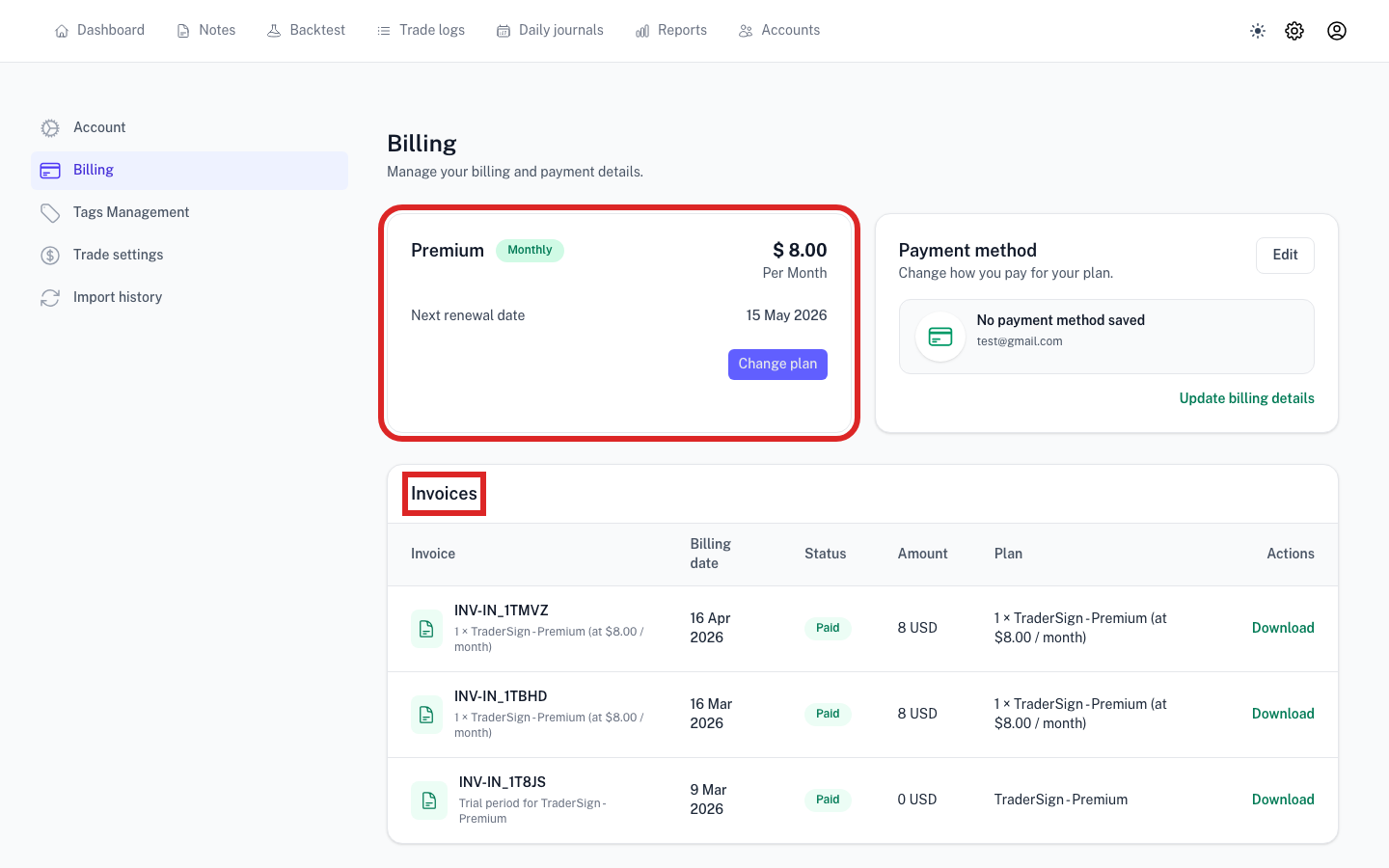
Invoices & Billing History
Need a receipt for taxes or accounting? Here is how to find and download all your past billing records.
Whether you need to confirm a payment date or download a PDF for your accountant, you can access your entire billing history directly from your settings.
How to download an invoice
- Navigate to Settings → Billing.
- Scroll down to the Invoices or Billing History section.
- Click the Download or View link next to any individual charge.
Common questions
Where is my latest invoice?
Invoices are generated immediately after a successful payment. If you've just upgraded or renewed, your new invoice will appear at the top of the list within a few seconds.
Can I get a receipt for tax purposes?
Yes. Every download includes a standard invoice/receipt that meets most accounting and tax requirements, including the billing period, amount, and payment status.
I don't see any invoices.
If your history is empty, it usually means your account is currently on a free trial or you haven't been charged yet. Once your first billing cycle completes, your history will update automatically.
Pro Tip
If you're using TraderSign for business, we recommend downloading your invoices periodically to keep your accounting records up to date. You can also access the Stripe Billing Portal from this page for more advanced management of your payment methods.