Appearance
Editing Executions & Manual Locks
Ensure manual edits to trade details are preserved during automatic broker syncs.
While auto-sync maintains your trade history, you may occasionally need to manually adjust specific details like timestamps or fees. To prevent these changes from being overwritten by the broker during the next sync, you must "lock" the edit.
How to Edit an Execution
- Open Trade Logs and select a trade to view details.
- Navigate to the Executions tab.
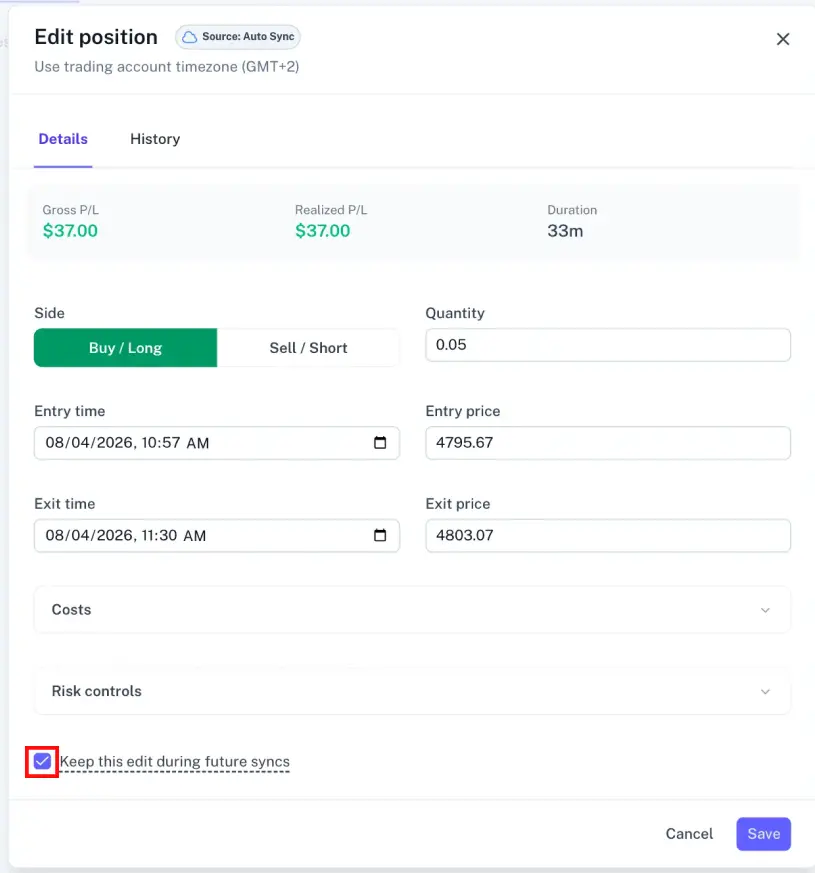
- Select the entry you wish to modify to open the edit modal.
Applying a Manual Lock
To preserve your changes, enable the following checkbox in the edit modal:
"Keep this edit during future syncs"
When enabled, TraderSign will prioritize your manual data over any information received from the broker for that specific execution during future syncs.
Recommended Use Cases
Enable the manual lock if you have:
- Adjusted a trade timestamp to account for broker reporting lags.
- Corrected incorrectly reported commissions or fees.
- Manually overridden data for a specific trade that you want to remain static.
Risks of Disabling the Lock
If you modify an execution without enabling the lock, your changes will be overwritten by the "official" record during the next broker sync or manual file upload.
Because broker-exported files contain the original execution data, any future upload of the same trade will restore the broker's version and undo your manual edits.
Monitoring Changes
- Selective Application: Locks only apply to the specific execution edited, not the entire trade.
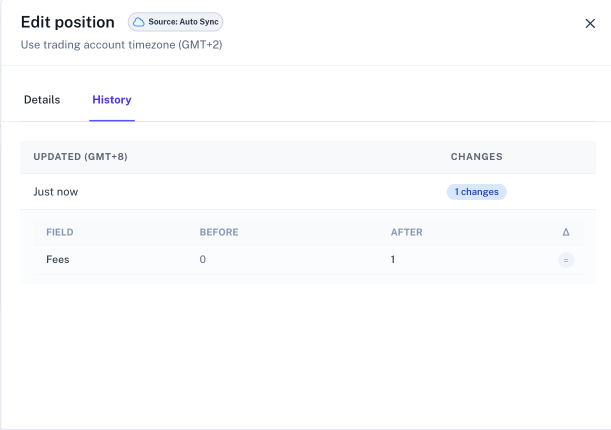
- Execution History: Use the Execution History log at the bottom of the trade view to track whether a change was made manually or by the broker.