 TraderSign
Edit executions and keep your changes
Edit trade details and stop automatic syncs from overwriting them.
Sometimes you need to correct a detail such as a timestamp or a fee. To stop your broker's data from overwriting the change on the next sync, turn on a lock when you edit.
Edit an execution
- Open Trade Logs and select a trade.
- Open the Executions tab.
- Select the execution you want to change.
Lock your edit
In the edit window, turn on Keep this edit during future syncs. TraderSign will then use your values instead of the broker's for that execution.
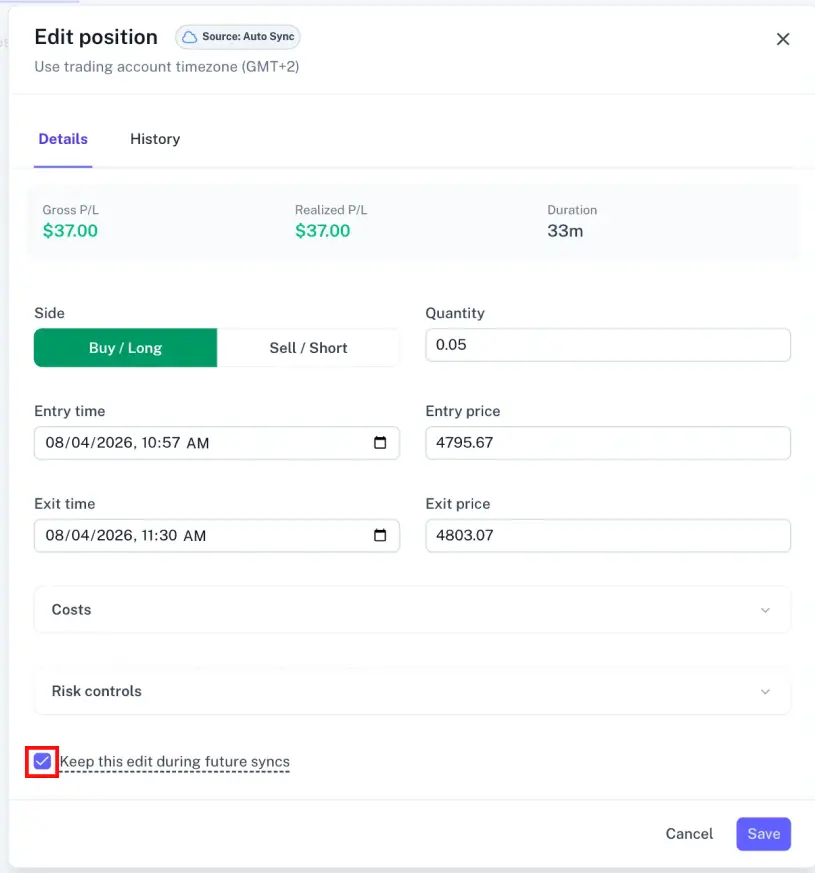
When to use the lock
Turn it on if you've:
- Adjusted a timestamp to account for a broker reporting delay.
- Corrected commissions or fees that were reported wrongly.
- Overridden a value that you want to stay fixed.
Without the lock, your edit can be overwritten
If you edit an execution without the lock, the next broker sync or file upload restores the broker's original data. Uploaded files contain the original execution, so re-uploading the same trade undoes your change.
Good to know
- The lock applies to one execution, not the whole trade.
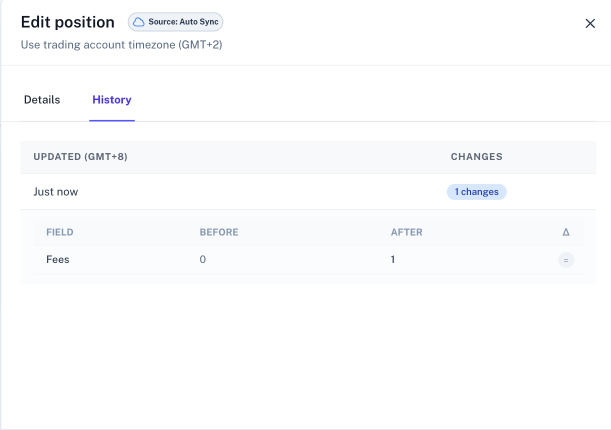
- Check the Execution History at the bottom of the trade to see whether a change was made manually or by the broker.
Didn't solve it?Email support